
Struggling to get responses or bookings? Here are the first things to check to boost your enquiry response rate and increase conversions.
1. Are You Responding in a Timely Manner?
Speed matters! The average response time per booking is 5 hours, and 80% of conversions happen when venues respond within 8 hours.
📌 Quick Tips:
✅ Reply fast—the sooner you respond, the better your chances.
✅ Pick up the phone—calling is more effective than waiting for an email reply.
✅ Keep your initial response simple—no need to overload with pricing, terms, and conditions upfront.
✅ Send a quick acknowledgment email followed by a phone call for best results.
💡 Pro Tip: If there’s a particularly strong enquiry you haven’t heard back from, ask us to give them a nudge on your behalf! 👀
2. Are You Forwarding Email Enquiries to Other Team Members?
For every email enquiry, Canvas generates a unique email address.
📌 Important:
If you forward an enquiry email before replying, the unique tokenised email address won’t be included—meaning your response won’t reach the client.
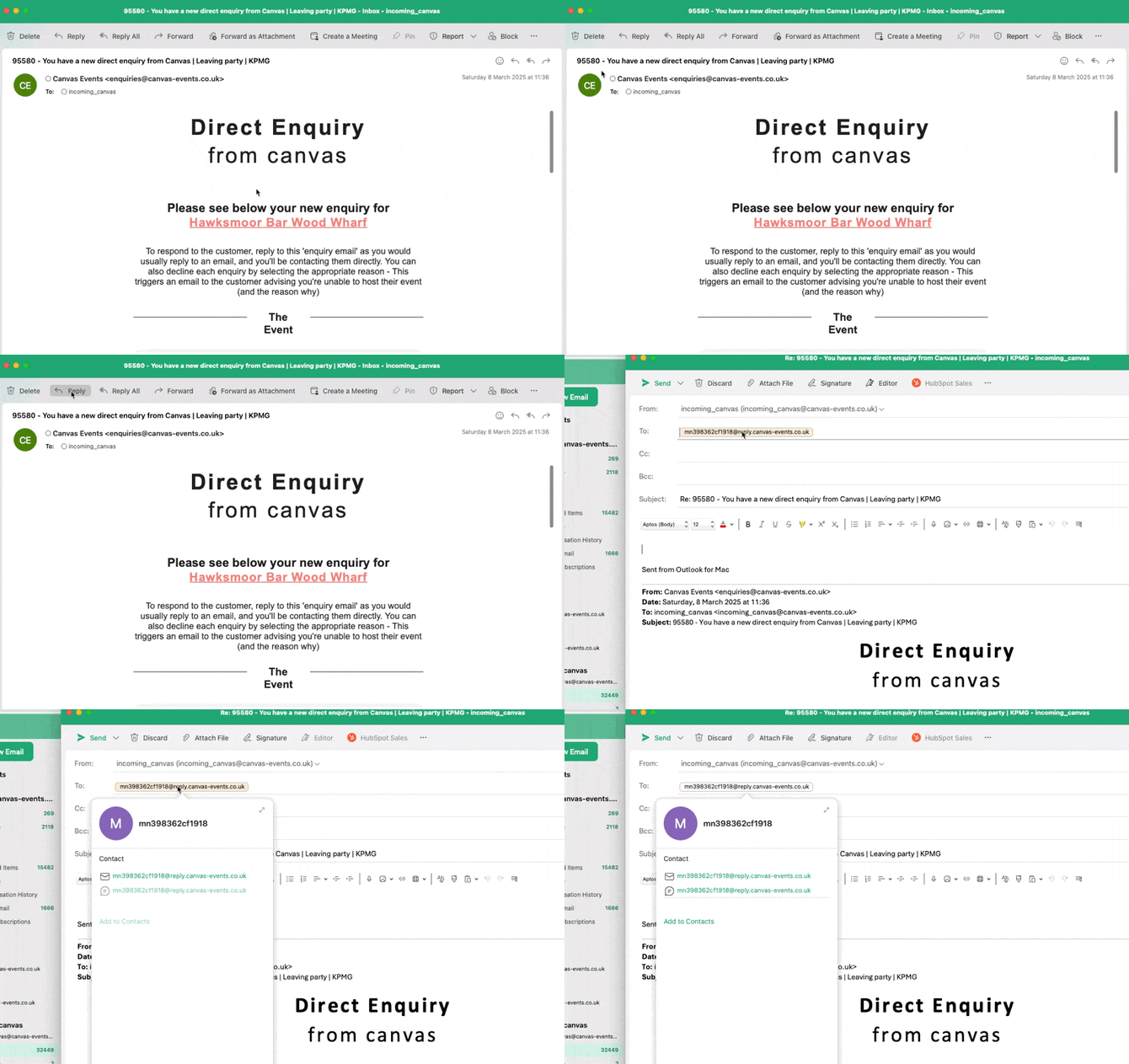
How to Ensure Your Replies Reach the Client:
✅ Always hit "Reply" on the initial enquiry email—this ensures your response is sent correctly.
✅ If using another inbox, copy the tokenised email address from the reply field and paste it into your new email.
✅ Keep the email chain intact—this allows you (and us!) to track responses and conversions accurately.
💡 Venues that stay on the platform and keep enquiries within the original email chain tend to see higher booking rates!
📌 Alternative Forwarding Method:
If you need to forward an enquiry to a different inbox, drag and drop the email into another inbox rather than forwarding it—many venues report this method works well.
Still having trouble? We can add a "Reply" button to your enquiry emails—clicking this will open a new email with the correct tokenised email address pre-filled.
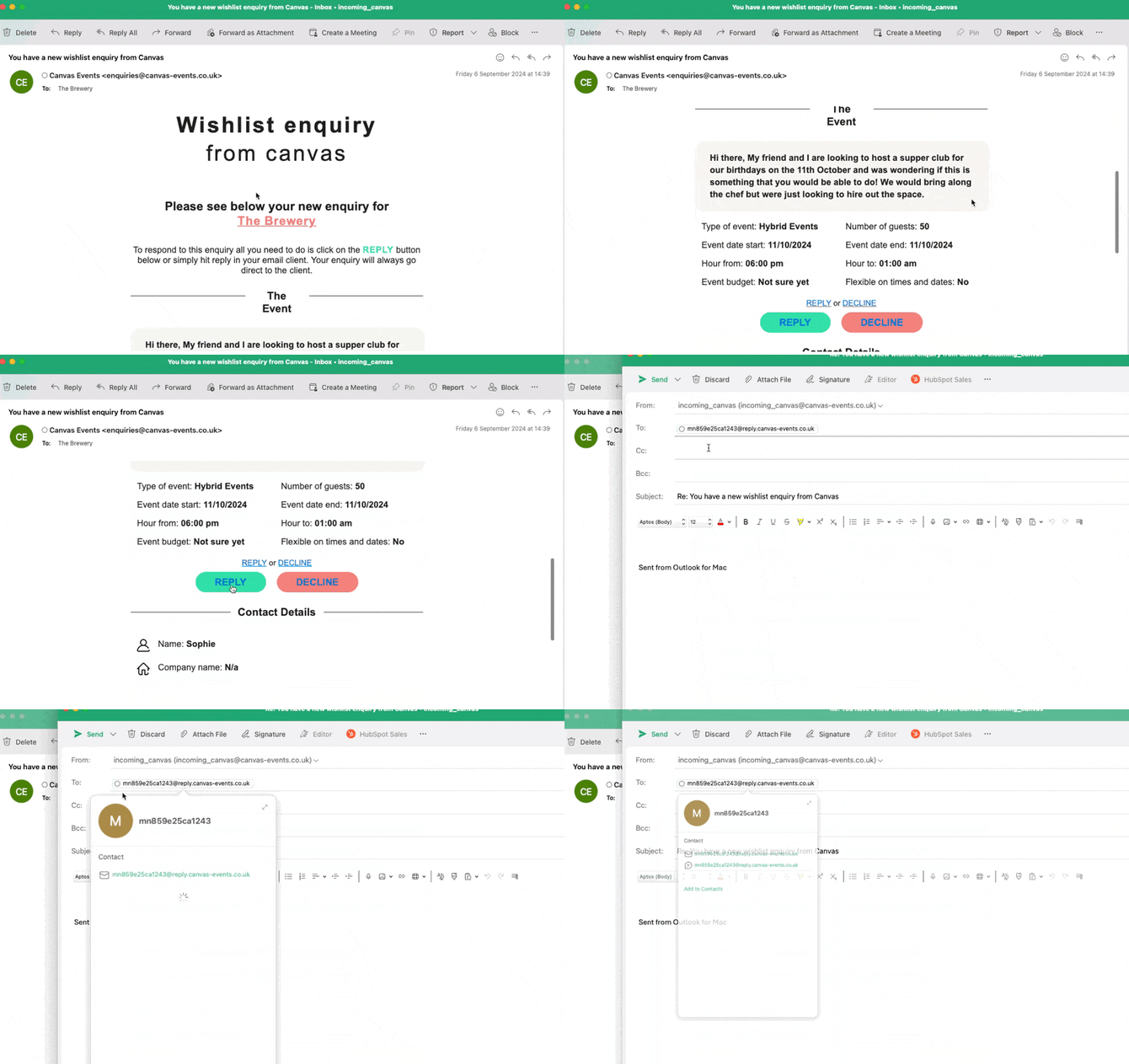
3. If All Else Fails… Log in to the Dashboard!
One of the reasons we spent months building the new Canvas Dashboard is because emails can sometimes get caught in spam filters, firewalls, or blocked—especially for users in large corporate environments (e.g., Accenture, PwC, Deloitte, etc.).
📌 If you don’t hear back, try this:
✅ Log into your Canvas Dashboard and respond using the in-app messaging tool.
✅ Your message will be sent directly to the client, along with a browser notification.
✅ The client can log in and respond seamlessly!
Final Thoughts
✔ Reply within 8 hours for better conversions.
✔ Always hit "Reply" on email enquiries to keep the thread intact.
✔ If emails aren’t working, use the dashboard messaging tool.
✔ Need help? Reach out, and we’ll assist! 🚀