
Booking a site visit is one of the most important steps in turning an enquiry into a confirmed booking. Canvas lets you do this directly from your message thread, without switching between emails or tools.
Once a site visit is confirmed, contact details are shared automatically. No manual exchanges, no chasing.
There are now two ways to book, depending on where you are in the conversation with the client.
How to Book a Site Visit
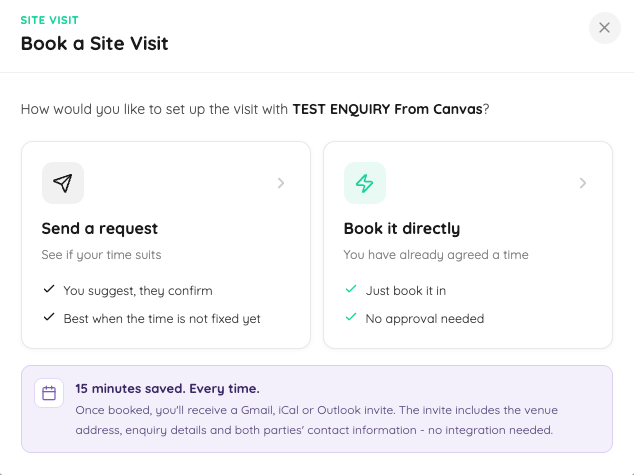
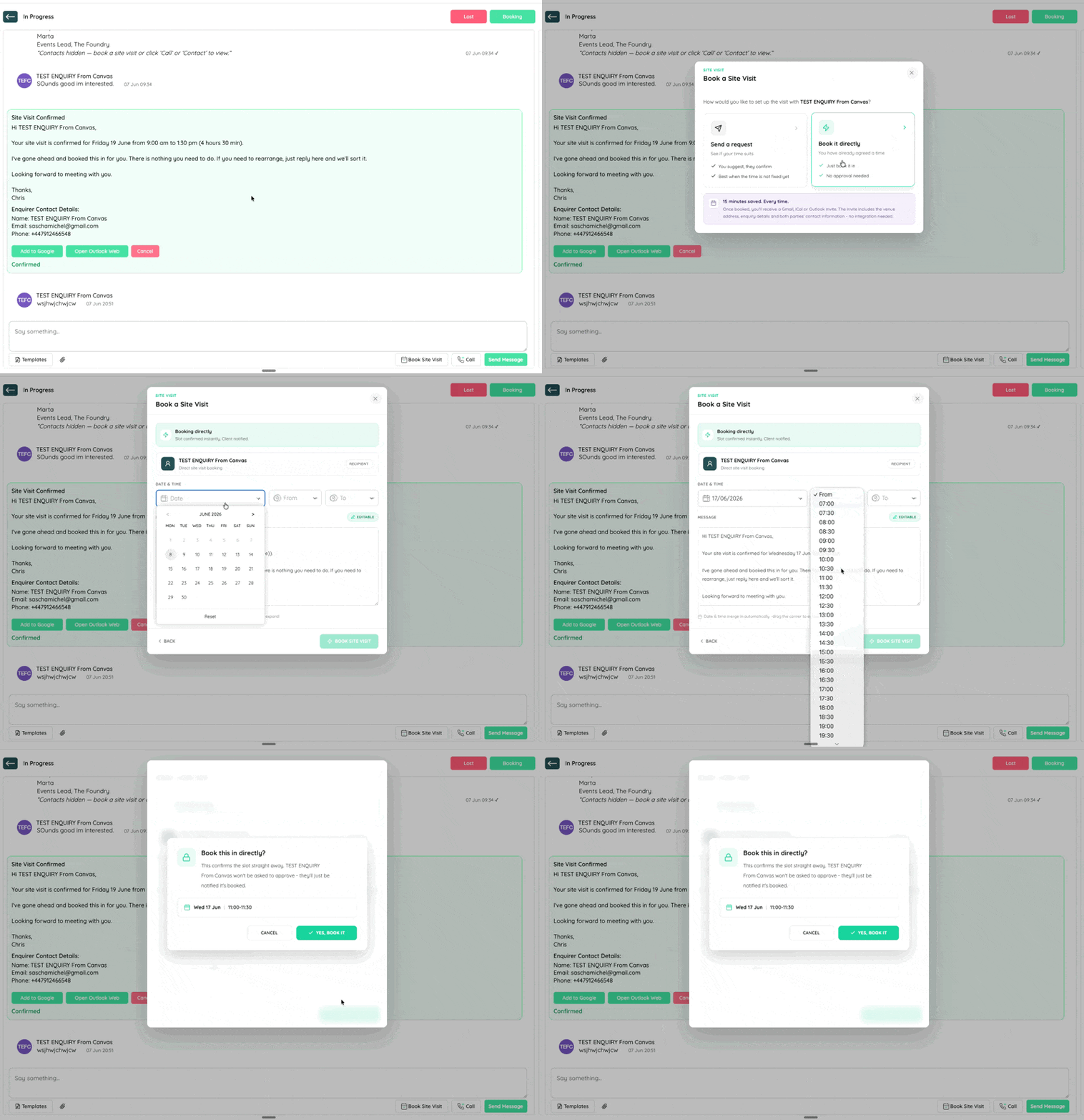
From within any message conversation, click the "Book Site Visit" button.
You'll be given two options:
Option 1: Send a Request
Use this when you want to propose a time and wait for the client to confirm.
- Select your proposed date and time
- Add or edit the pre-written message
- Send the request to the client
The client will receive the request and can:
- ✅ Accept your proposed time
- 🔁 Suggest an alternative
Once they accept, a calendar invitation is generated automatically and sent to both of you.
Option 2: Book Directly
Use this when you've already agreed a time with the client in the message thread and don't need their approval.
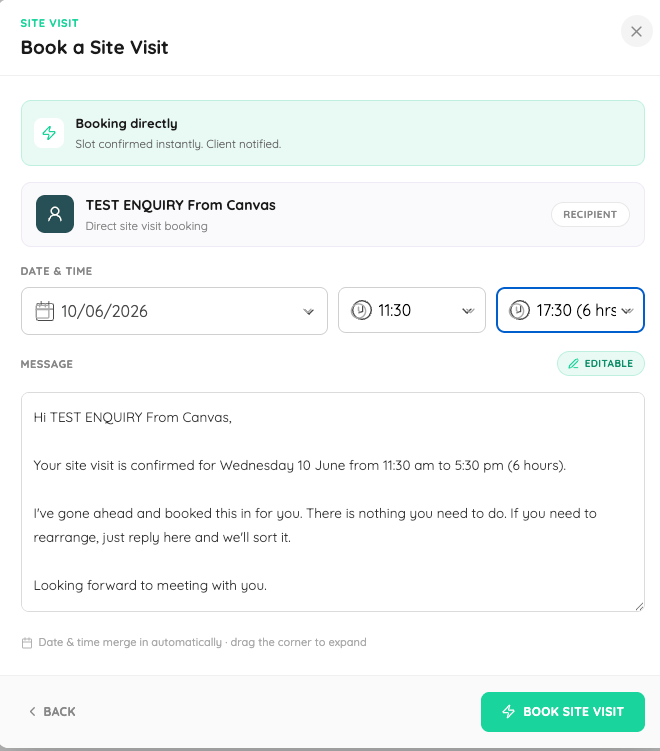
- Select the confirmed date and time
- Click "Book Directly"
- The enquiry is immediately marked as "Site Visit Booked"
No waiting for a response. The calendar link is generated straight away.
💡 Tip: If you've already agreed the time in your conversation, Book Directly is the faster option and keeps things moving.
What Happens After Confirmation
Whether you send a request or book directly, once the site visit is confirmed:
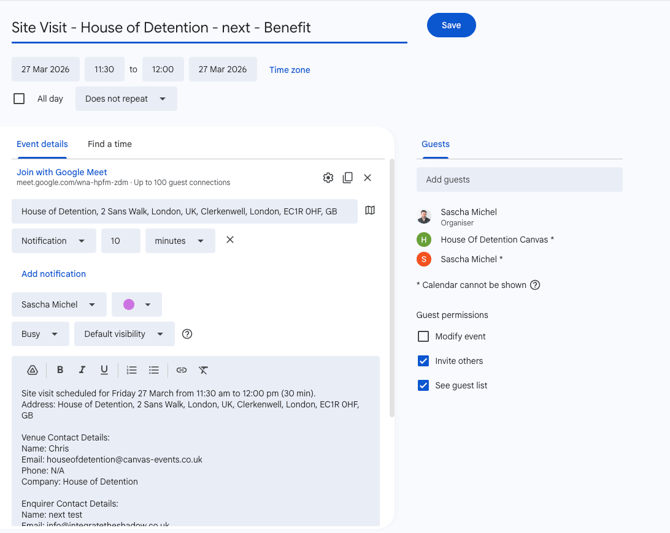
- A calendar invitation is automatically generated
- The invite includes the date, time, location, and full contact details
- Both you and the client receive the invite
- The event is added to your calendar (Google, Outlook, or iCal)
Accessing Contact Details
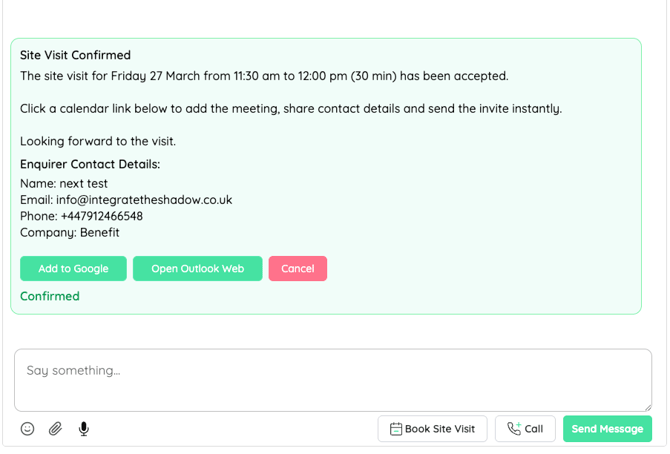
Contact details are shared automatically once the site visit is confirmed. No need to request them separately or copy and paste from emails. Everything is handled within Canvas.
💡 This is the fastest way to access client contact details while keeping everything tracked on the platform.
🤖AI Tracking and Insights
When you book through Canvas:
- The enquiry is automatically tagged as a site visit
- This improves tracking and reporting across your dashboard
- Helps surface enquiries that are closest to booking
Keeping activity on the platform gives our AI tools better data to support your conversion.
Best Practice
- Agree a time in the message thread first if possible
- Use Book Directly to confirm it quickly without waiting for approval
- Use Send a Request when the time still needs sign-off from the client
- Keep all communication on Canvas to maximise visibility and tracking
- Use site visits as your primary way to share contact details
⚡ Key Benefits
- Two booking options to suit where you are in the conversation
- No integrations or setup required
- Everything managed in one place
- Contact details shared automatically on confirmation
- Reduces time spent coordinating via email
- Automatically tracks activity for better reporting
💬 Need Help?
If you're having trouble booking a site visit or accessing contact details, reach out to our support team. We're happy to help.